Shopify Guides
Shopify Conversion Rate Optimization: 15 Fixes Ranked by Effort, From a Developer's Side of the Store
Shopify conversion rate optimization without guesswork: 15 fixes ranked from quick to big, from product pages and cart to checkout.
Dev Artistry Hub5 min read
In this article — 9 sections
Most Shopify conversion rate optimization advice is written from the marketing side: better photos, urgency timers, more reviews, a pop-up with a discount. Some of that works. But a lot of lost sales come from the other side of the store, the part only a developer sees: a cart drawer that silently fails, a variant picker that confuses people on a phone, three old apps loading scripts on every page.
This list mixes both sides and ranks every fix by effort, so you can start with the ones that take an afternoon.
In short: start by finding where people drop in Shopify's conversion funnel, fix anything broken first, then remove friction on the product page and cart, then speed. Change one thing at a time and compare the same period before and after.
Before You Change Anything: Find the Drop
Shopify's Conversion rate breakdown report shows sessions at each step: viewing a product, adding to cart, reaching checkout, completing checkout. Each step is "the number of sessions for a step divided by the number of total sessions," according to Shopify's behaviour reports documentation.
Find the biggest drop, then fix in that area first. And check one thing before trusting any change: Shopify ran a session measurement rollout from September 21 to 23, 2026, after which "your sessions, conversion rate, and other session-based metrics might be different in your reports." Compare periods on the same side of that date.
Quick Fixes (an Afternoon Each)
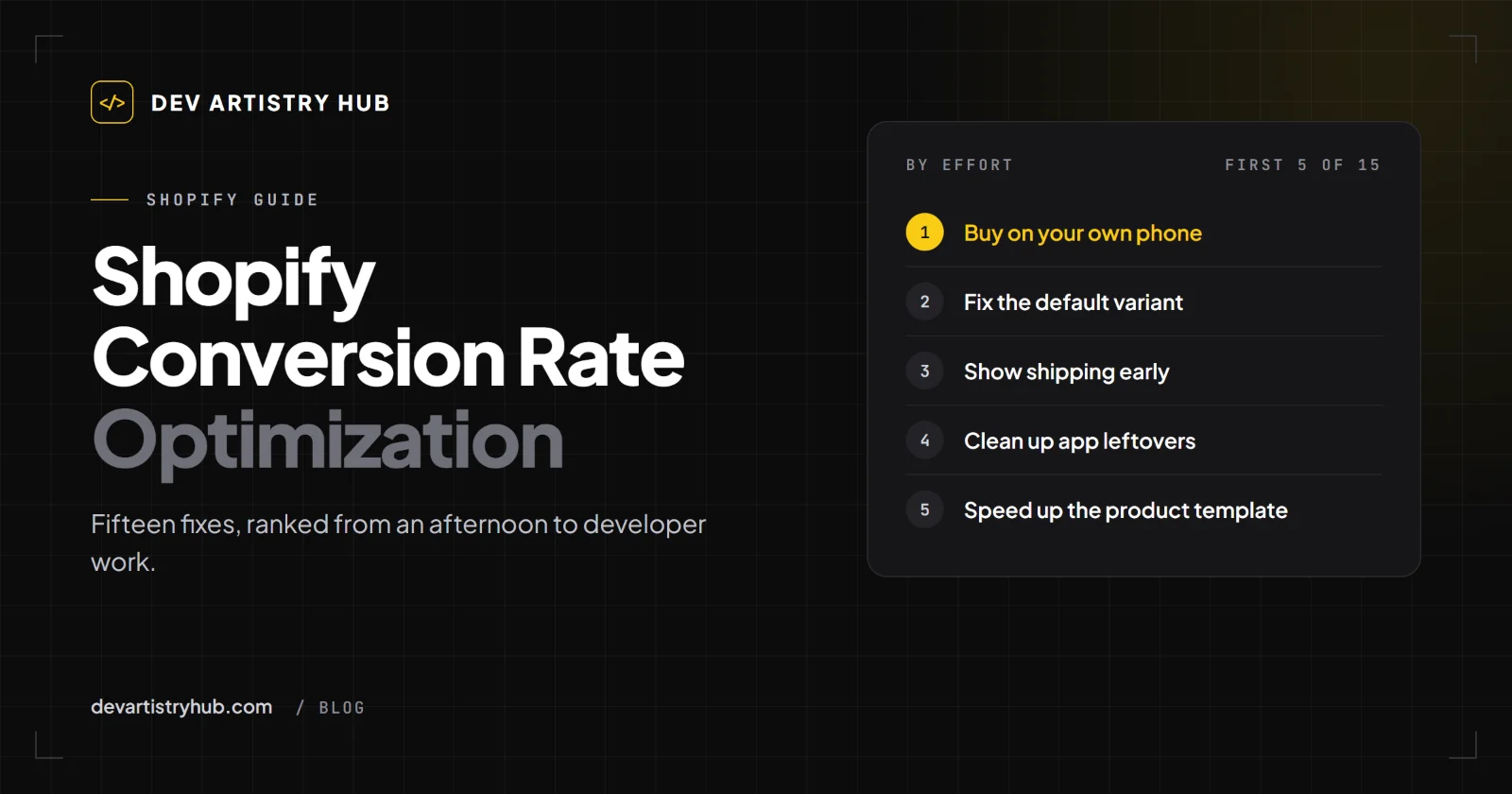
1. Buy something on your own phone
With a real card and a real address, from an Instagram link, start to finish. Owners who do this for the first time often find something: a pop-up that covers the Add to Cart button, a shipping rate that does not load, a discount field that errors.
2. Fix the default variant
If a product opens on a size or colour that is sold out, many visitors leave thinking the whole product is out of stock. Make the first available variant the default.
3. Show shipping cost before checkout
A cost that only appears at checkout is a classic reason to abandon a cart. Put shipping cost or the free-shipping threshold on the product page and in the cart.
4. Make the Add to Cart button obvious on mobile
It should be visible without scrolling on a phone, or follow the visitor as a sticky bar. Check that nothing (a chat bubble, a cookie banner, an app badge) sits on top of it.
5. Rewrite the first two lines of each product description
Most visitors read the first lines only. Say what it is, who it is for and why it is better, before the history of the brand.
Medium Fixes (a Day or Two)
6. Remove apps you do not use, and their leftover code
Uninstalling a Shopify app does not always remove the code it added to your theme. Old scripts slow pages down and sometimes break the cart. Audit the theme after an app clean-up.
7. Fix the cart drawer
Cart drawers that open slowly, do not update quantities or fail on certain browsers are a quiet sales killer. Test add, update and remove on iPhone Safari and Android Chrome.
8. Add reviews where the decision happens
Reviews are most useful next to the price and the Add to Cart button, not in a section at the bottom of the page.
9. Answer objections on the product page
Sizing, delivery time, returns, materials, care. Use short collapsible sections. Every question answered on the page is one less reason to leave and think about it.
10. Check your search
Shopify reports Searches with no results and Searches with no clicks. Both are free lists of things your customers wanted and could not find.
Bigger Fixes (Developer Work)
11. Speed up the product template
Shopify now reports Largest Contentful Paint, Interaction to Next Paint and Cumulative Layout Shift by page type. A slow product template affects every product. Typical causes: huge images, too many app scripts, sliders loading every image at once.
12. Rebuild the variant picker
Dropdowns for colour and size are hard to use on phones. Swatches and buttons, with sold-out options clearly marked, are easier.
13. Improve collection pages
Filters that work on mobile, sorting that defaults to something sensible, product cards that show price and key options without opening the product.
14. Make the theme editable with sections and blocks
If every change to a landing page needs a developer, you will test fewer ideas. A theme built with proper sections and blocks lets you try things yourself. We explained this in Shopify sections and blocks.
15. Consider a custom theme only when the theme itself is the limit
A custom theme is a real investment. It is worth it when the store's look, speed or structure is holding sales back and no theme can fix it. We compared the options in Shopify theme vs custom theme.
How to Test a Change Properly
- One change at a time, so you know what worked.
- Same length of period before and after, ideally the same days of the week.
- Watch the funnel step you targeted, not only the overall rate.
- Segment by device. A change that helps desktop can hurt phones.
- Keep a log: what changed, on which date. You will forget otherwise.
What Not to Do
- Add five apps at once to "boost conversions". Each one adds weight and risk.
- Fake urgency (timers that reset, "only 2 left" that is never true). Customers notice, and it can break consumer protection rules in some countries.
- Judge a change after three days.
When to Bring in a Developer
If the drop is between cart and checkout, if phones convert far worse than desktop, or if speed reports show the product template as slow, the cause is usually in the theme code. That is the work we do in Shopify development and Shopify theme development.
Frequently Asked Questions
What is Shopify conversion rate optimization?
Finding where visitors drop out between arriving and buying, and changing the store so fewer of them do, one measured change at a time.
Do Shopify CRO apps work?
Some do, for specific jobs. But each app adds code to your store. Fix broken things and friction first; add apps only for a clear, measured purpose.
How long until CRO changes show results?
It depends on traffic. Lower-traffic stores need longer periods to see a real difference. Compare like-for-like periods rather than days.
Should I hire a CRO agency or a Shopify developer?
If the drop is in the offer or the message, a CRO or marketing specialist. If the drop is in the cart, checkout, speed or mobile layout, a developer.
Final Takeaway
Conversion rate optimization on Shopify starts with finding the drop and fixing what is broken, not with adding apps. Buy from your own store on a phone this week. Then work down the list, one change at a time, and let the funnel tell you what worked.
- #Shopify
- #Conversion
- #CRO