
Skip to content
Dev Artistry Hub
Service

The store you designed in Figma, built as a Shopify theme that still looks like it.

What a store design leaves out

The file showsits best day.

One product, in stock, with a short title. A live catalogue has variants, sell-outs, sale prices and titles that wrap — and the theme has to hold the design through all of them.

The states the file did not draw

Sold out, on sale, eleven variants, a three-line title: worked out with you before they are built, so the design survives the real catalogue.

The file

The build

Type scale

16 / 20 / 28 / 44

Matches

Spacing

4 · 8 · 16 · 32

Matches

Brand colour

#0F62FE

Matches

Hover state

drawn

Matches

Variants and swatches

Size and colour pickers the design shows once and the catalogue needs everywhere.

The phone checkout

Where a design drawn on a laptop most often loses people.

Next season's campaign

A hero and a collection the merchant swaps without a developer.

How a Figma file becomes a store

Frames in.Sections out.

Four stages. The design is the specification throughout; nothing is fitted into a stock theme along the way.

  1. Map the frames

    Which parts of the design are sections, which are blocks, and which settings the merchant will want to change.

    Step 01
  2. Fill the gaps

    Sold-out, sale, variant and empty states agreed with you where the file is silent.

    Step 02
  3. Build the theme

    A custom Shopify theme, each design section editable from the theme editor.

    Step 03
  4. Check on phones

    Product, cart and checkout on real devices before launch.

    Step 04
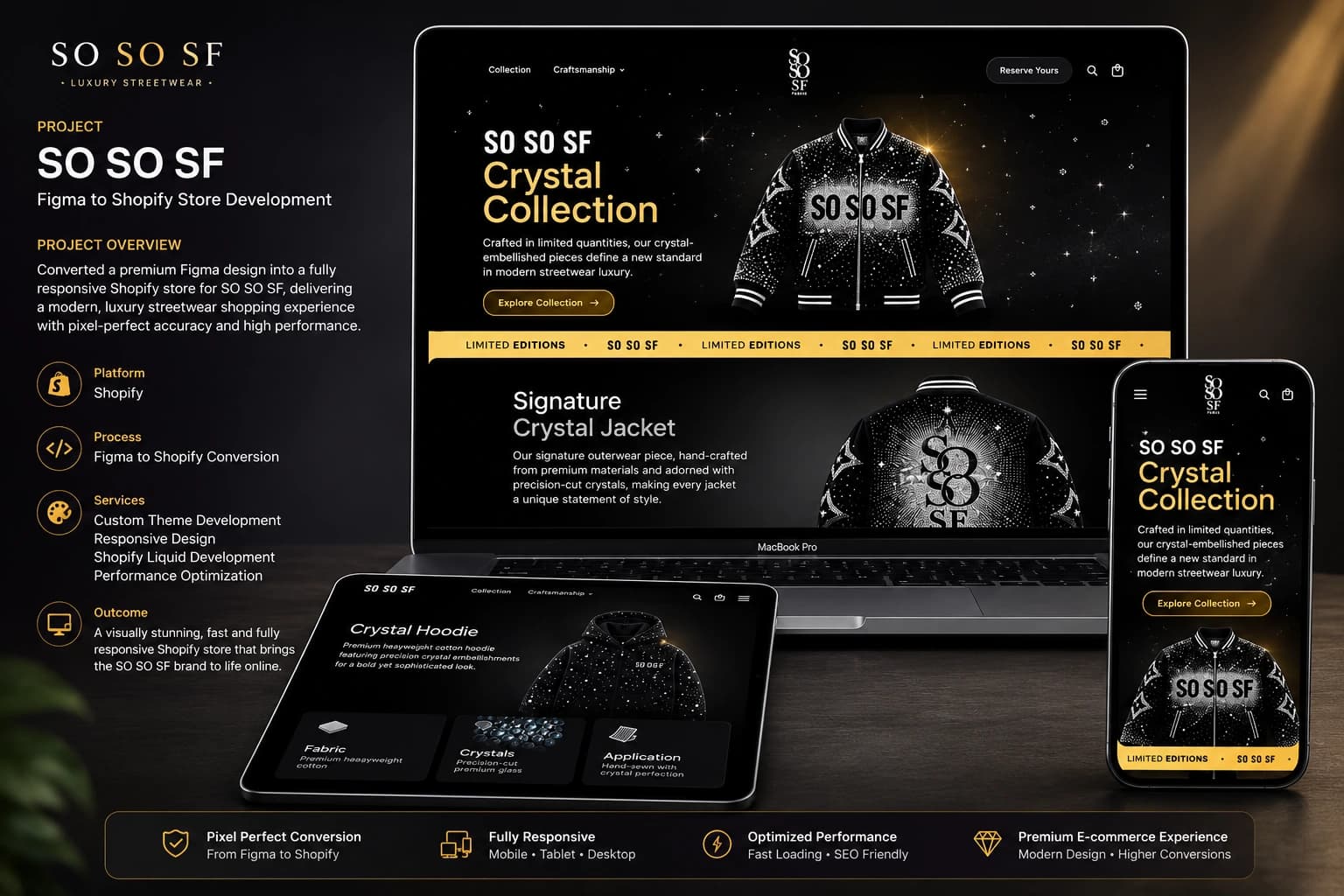
A Figma file we shipped

From the fileto a live store.

SO SO SF arrived as a Figma design for a luxury streetwear label and went out as a custom Shopify theme.

What you can hold us to

Our fivequality promises.

Five things the studio commits to on every project, each already written somewhere else on this site.

  • A fixed price before we start

    No moving target

    You get the price in writing once we understand the project, and it does not move during the build. No hourly surprises on the invoice.

  • A reply within one business day

    You are not waiting

    Every enquiry is read by the people who would do the work, and answered within one business day. Mon-Sat, 10am - 7pm PKT.

  • Checked on real phones

    Not a resized window

    Every build is tested on actual devices, because a browser window dragged narrow does not behave the way a phone does.

  • Built to be found

    Search-ready at launch

    Real heading levels, metadata, structured data and a sitemap ship with the site — not as an add-on once traffic fails to arrive.

  • Yours to edit afterwards

    No support ticket

    Pages made of blocks your team can move, and a walkthrough at handover, so the first change you make does not need us.

Included in every store

What youactually get.

Four things in every Figma to Shopify project.

  • 01

    A custom Shopify theme built from your Figma file

  • 02

    Sold-out, sale, variant and long-title states worked out where the file is silent

  • 03

    Every design section editable from the Shopify theme editor

  • 04

    Product, cart and checkout checked on real phones before launch

Best for

  • Brands with a store designed in Figma and nobody to build it

  • Designers handing a Shopify design to a developer for the first time

  • Stores moving from a stock theme to a design of their own

From the blog

Questions

Before youask us.

The questions people ask most before starting a project like this.

Ask us something else→

Can you turn my Figma design into a Shopify store?

Yes. The design is built as a custom Shopify theme, not fitted into a stock one. SO SO SF arrived as a Figma file and launched as a custom theme that holds the design from desktop down to a 375px phone.

My design only shows one product. What about the rest?

Sold-out items, sale prices, long product titles and products with many variants are worked out with you where the file does not show them, so the design holds up across the whole catalogue.

Will I be able to change the store after it is built?

Yes. Each part of the design is a Shopify section with its own settings, so images, collections and the order of the home page are changed in the theme editor, not in code.

Do you test the store on phones?

Yes. Product, cart and checkout are checked on real phones before launch, because a browser window dragged narrow does not behave the way a phone does.

Have a Figma file for Shopify?

Tell us what you are building and what it needs to do. We come back with a clear plan, a timeline and a fixed price.

Start a project

Design & Development