Shopify Guides
What Is a Good Shopify Conversion Rate? Why the Benchmark Misleads You and What to Track Instead
What is a good Shopify conversion rate? How Shopify calculates it, why averages mislead, and the five numbers worth tracking instead.
Dev Artistry Hub5 min read
In this article — 8 sections
"What is a good Shopify conversion rate?" is one of the most searched questions by store owners, and one of the least useful. Almost every answer gives you a single percentage, and almost every store owner compares their number to it and either panics or relaxes for the wrong reason.
The honest answer is that a good conversion rate is the one that is better than your own last quarter, measured the same way. Here is why the averages mislead, how Shopify actually calculates the number, and what to track if you want to know whether your store is getting better.
In short: Shopify defines conversion rate as "the percentage of sessions that resulted in a purchase." That number moves with your traffic sources, your prices, your products and even how sessions are counted, so a benchmark from someone else's store tells you little. Compare your store with itself, by device, by traffic source and by product.
How Shopify Calculates Your Conversion Rate
In Shopify's behaviour reports documentation, conversion rate is "the percentage of sessions that resulted in a purchase." The funnel steps (added to cart, reached checkout, completed checkout) are each "calculated as the number of sessions for a step divided by the number of total sessions."
Two details from the same page matter more than they look:
- "It is possible for a customer to make multiple purchases during a single session." So orders and converted sessions are not always the same number.
- You "can filter your data by human and bot traffic." Bot visits inflate sessions and pull the rate down.
And one very recent change: Shopify notes that "the Shopify Analytics session measurement rollout runs from September 21 to 23, 2026," after which "your sessions, conversion rate, and other session-based metrics might be different in your reports." It adds: "This doesn't necessarily mean that your traffic, orders, or customer behavior changed."
If your conversion rate jumped or dropped in late September 2026 without any change in orders, start there before you change the store.
Why the Benchmark Misleads
Your traffic is not their traffic
A store that gets most visits from repeat customers and email will convert far better than one buying cold traffic from social ads. Same store quality, very different rate. Every time you add a new ad campaign aimed at new people, your overall rate is likely to fall, even if the campaign makes money.
Your price is not their price
A store selling a $15 accessory and a store selling a $900 sofa are not in the same game. Expensive products need more visits before a purchase. A lower rate can still mean a healthier business.
Your sessions are not counted the same way
Bot filtering, consent banners, ad blockers and changes like Shopify's September 2026 session rollout all change the bottom half of the fraction. Two stores with identical customers can report different rates.
Averages hide the shape
A single "average conversion rate" is usually drawn from many stores in different niches. The middle of that crowd is not a target for your store.
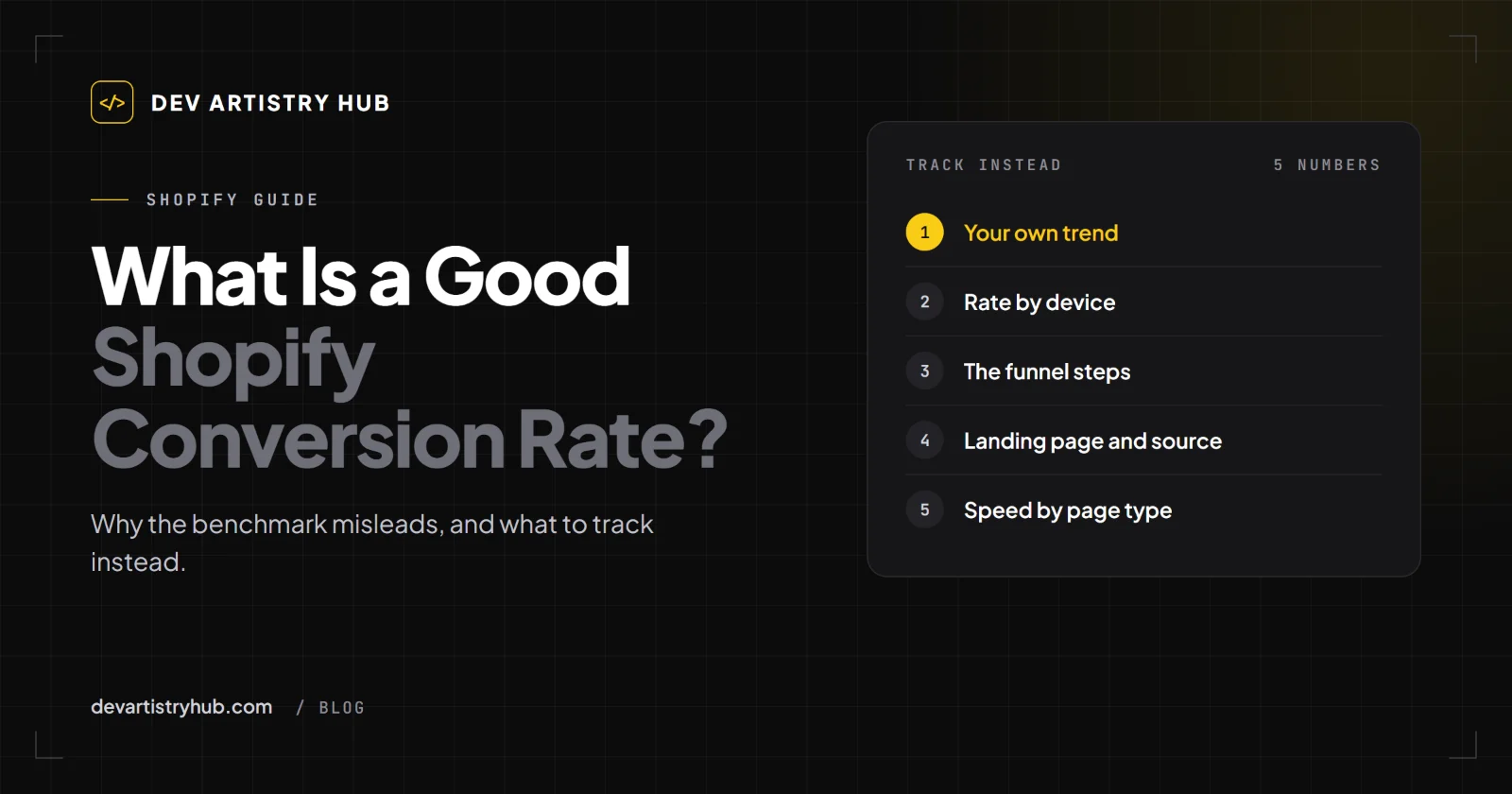
What to Track Instead
1. Your own trend, quarter over quarter
Same date range length, same filters, compared with the previous period and the same period last year. Shopify's reports include a Conversion rate over time report for exactly this.
2. Conversion rate by device
Shopify has a Sessions by device report. If phones bring most of your sessions but convert far worse than desktop, the problem is often the mobile product page or checkout, not your products.
3. The funnel steps
The Conversion rate breakdown shows where sessions drop: viewing products, adding to cart, reaching checkout, completing it. Each drop points to a different fix:
- Few add to carts: product page, price, photos, trust.
- Many carts, few checkouts: surprise costs, a broken cart, a slow cart drawer.
- Many checkouts, few orders: shipping rates, payment options, checkout errors.
4. Conversion rate by landing page and traffic source
A page that brings lots of sessions and no orders deserves a look, and so does a source that brings visits that never buy. Sessions by landing page helps here.
5. Speed, by page type
Shopify now reports Core Web Vitals in its behaviour reports: Largest Contentful Paint, Interaction to Next Paint and Cumulative Layout Shift, by page URL and page type. A slow product template affects every product.
Why Is My Shopify Conversion Rate So Low?
When owners ask this, the answer usually falls into one of four groups:
- The number is measured differently than you think. Bots, consent, session changes. Check filters and the September 2026 rollout first.
- The traffic is not ready to buy. New ad campaigns, broad audiences, social traffic.
- The store is getting in the way. A broken Add to Cart on one device, a default variant that is sold out, leftover app code, a checkout that cannot calculate shipping. We covered these in Shopify traffic but no sales.
- The offer needs work. Price, shipping cost, return policy, photos, reviews.
Work in that order. There is no point redesigning product pages if the drop is caused by a measurement change or by a campaign aimed at the wrong people.
A 20-Minute Check
- Open Analytics → Reports → Conversion rate over time and compare the last 90 days with the 90 before.
- Turn on bot filtering if your plan shows it.
- Note whether the change lines up with September 21 to 23, 2026.
- Open Sessions by device and compare phone with desktop.
- Open Conversion rate breakdown and find the biggest drop between two steps.
- Buy something yourself on a phone, start to finish, with a real card and a real address.
When to Bring in a Developer
If the funnel shows people adding to cart and not finishing, or phones converting far worse than desktop, the cause is often in the theme: a cart drawer that fails, a script from an old app, a slow product template. That is where a Shopify developer can find in an hour what a marketing audit misses.
Frequently Asked Questions
What is a good Shopify conversion rate?
One that is improving against your own store, measured the same way, by device and by traffic source. A single industry average says little about a store with different traffic, prices and products.
What is the average Shopify conversion rate?
Published averages exist, but they mix very different stores and are measured in different ways. Use them as a curiosity, not a target.
Why did my Shopify conversion rate change suddenly?
Check for bot traffic, a new ad campaign, a theme or app change, and Shopify's session measurement rollout of September 21 to 23, 2026, which Shopify says can change session-based metrics without any change in behaviour.
How is Shopify conversion rate calculated?
Sessions that resulted in a purchase, divided by total sessions, as a percentage.
Final Takeaway
Stop asking whether your conversion rate is good. Ask whether it is better than last quarter, on phones and on desktop, for each traffic source, measured the same way. That question has an answer you can act on.
- #Shopify
- #Conversion
- #Analytics