Web Development Guides
Can an AI Website Builder Replace a Web Developer in 2026? Where It Works and Where It Breaks
Wix Harmony, Shopify Canvas and WordPress AI can build a site in minutes. Here's where AI builders work, where they break, and when you still need a developer.
Dev Artistry Hub9 min read
In this article — 7 sections
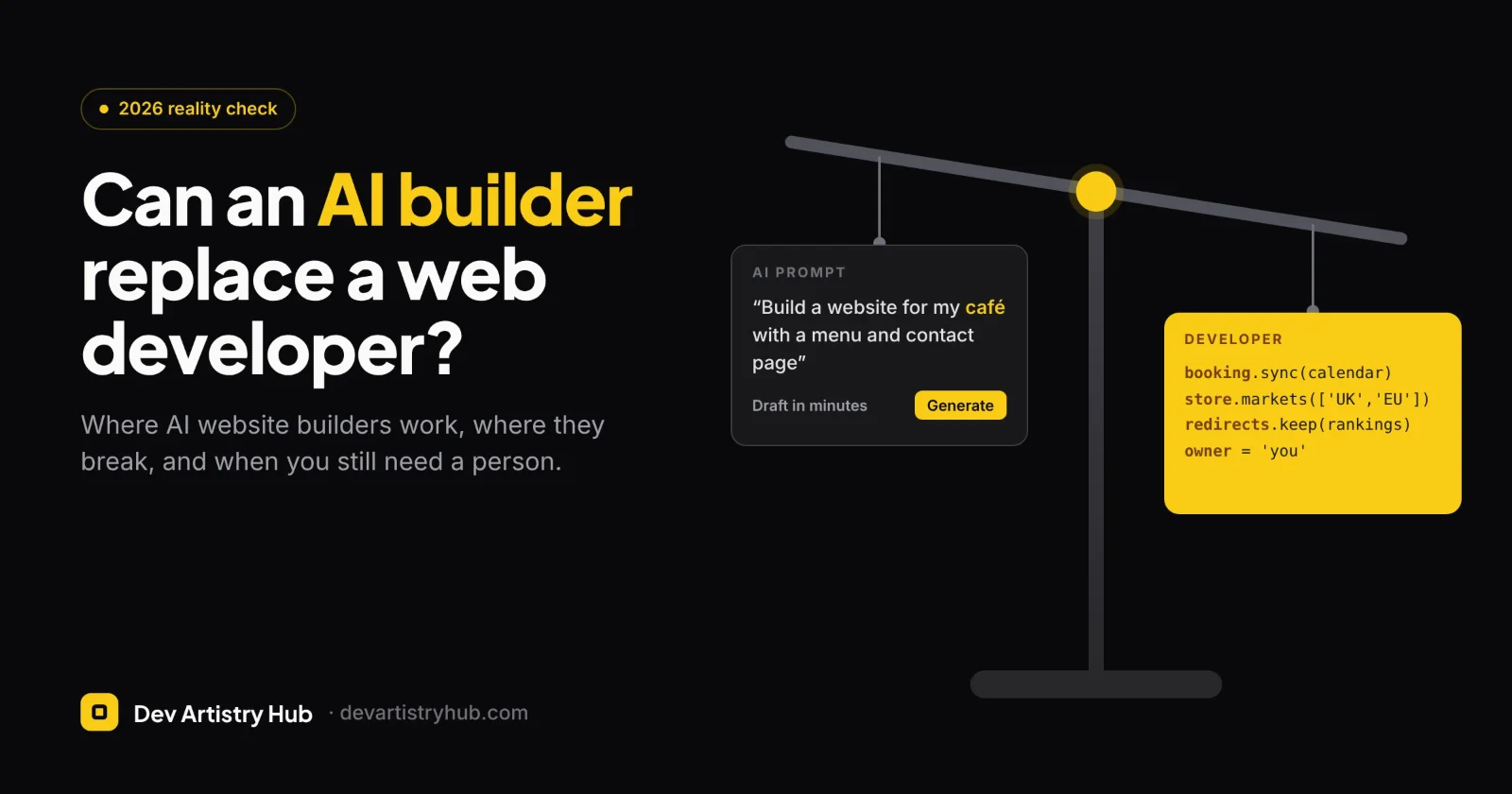
For a simple brochure site, a portfolio or a test store, an AI website builder can now replace a developer for the first version, and often for longer. It still can't replace one when the site needs custom features, serious ecommerce, clean ownership of the code, or someone accountable when it breaks. The fairest answer for most businesses in 2026 is to let AI build the draft and bring in a developer at the point where the site starts earning money.
Verdict in brief: AI builders are good at layout, starter copy and quick edits. They are weak on custom logic, integrations, multilingual and multi-market stores, and anything their platform doesn't support yet. Their own help pages list those gaps. If your site is a business tool rather than a digital business card, plan for a developer, even if AI gets you started.
What changed in 2026
AI site building moved from gimmick to a real product this year. Three launches matter for small businesses.
Wix Harmony. Wix launched Harmony in January 2026. It combines drag-and-drop editing with an AI agent called Aria. According to Wix's help centre, Aria can generate a full site with pages, sections and starter content from a description of your business, and can redesign sections or rewrite text on request. Wix also says no AI credits are needed to use it.
Shopify Canvas and Sidekick. On 1 October 2026 Shopify launched Canvas, a way to set up a store by chatting with its AI assistant, Sidekick. TechCrunch reports that Canvas edits the theme's actual files and shows a live, working preview rather than a static mockup. Earlier, in December 2025, Shopify extended Sidekick's AI block generation to every theme in its Theme Store, so you can describe a section in plain language and get the code for it.
WordPress.com. WordPress.com launched a free AI website builder in 2025. It builds a site from a chat prompt, which you then refine by chatting or by editing manually.
The direction is clear: describing a site in a sentence and getting a usable first draft back in minutes is now normal.
Where AI builders now do the job well
Be honest about this part. For some sites, paying a developer to build from scratch makes little sense.
- One- to five-page service sites. A plumber, a consultant or a local café needs a clear offer, contact details, a few photos and a booking or contact form. AI builders produce this well.
- Portfolios and personal sites. Layout and visual polish are what matter, and AI handles them quickly.
- Validating an idea. If you want to know whether anyone will sign up before investing, a fast AI-built page is the cheapest test.
- Small stores with a simple catalogue. A handful of products, one market, one language and standard checkout fit what Shopify's AI tools are built for.
- Quick content and layout changes. Rewriting a section, adding an FAQ block or changing a hero layout is now faster with a prompt than with a support ticket.
If your site fits one of these and is likely to stay that way, start with AI. That's a reasonable business decision, not a compromise.
Where AI builders still break
The useful question isn't "can AI make a website?" It clearly can. The question is what happens when your business needs something the builder wasn't designed for. Here the tools' own documentation is the most honest source.
1. Custom features and integrations
Wix's help centre says plainly that "adding custom code (e.g. JavaScript, backend code) is not available in Wix Harmony", and that several Wix apps, including the CMS and multilingual support, aren't available there yet. For advanced work, Wix points users to its other editor, Wix Studio. WordPress.com's AI builder, as reported at launch, isn't built for sites with complex integrations, and more complex edits still need someone who knows site development.
In practice, these are the requests that push a project past what a prompt can do:
- A booking system that checks real availability in your existing software
- Prices or stock pulled from an ERP, a supplier feed or a spreadsheet
- A quote calculator with your own pricing rules
- Member areas, gated content or B2B accounts
- Connecting a CRM or email platform beyond a basic form
A developer may still use AI to write parts of this code. The difference is that someone understands the whole system and owns the result.
2. Ecommerce beyond the basics
Shopify Canvas is impressive, but it's early. TechCrunch lists several things not in the first release: third-party theme support, app blocks and extensions, Markets, translations and theme updates. Those are exactly the features a growing store depends on. Selling in several countries, running a premium theme, or relying on apps for reviews, subscriptions or bundles all fall outside what Canvas does today. WordPress.com's AI builder, at launch, didn't create ecommerce stores at all.
None of this is permanent. Platforms add features quickly. But if you're making a decision this month, decide on what the tool does this month.
3. Ownership and lock-in
On a hosted builder, the site runs on the platform. Wix says it directly: "Since Wix is a SaaS solution, your site must run on Wix's servers." You can connect your own domain, but you can't take the site to another host. Moving later means rebuilding, and possibly losing search rankings during the move.
That isn't a reason to avoid hosted platforms; Shopify is hosted too, and most stores are happy with that. It's a reason to choose the platform deliberately rather than let an AI prompt choose it for you.
4. Content accuracy and SEO
AI builders write starter copy fast, and that's where the risk sits. Google's guidance on generative AI content says models "don't retrieve facts" but predict likely words, so it's "critical to manually factcheck and review all AI-generated content" before publishing, including titles, meta descriptions, structured data and alt text. Google also warns that generating many pages without adding value may break its spam policy on scaled content.
The common problems on AI-built sites are not technical:
- Service descriptions that sound like every competitor's
- Claims the business never made ("award-winning", "trusted by thousands")
- Location pages generated in bulk with only the town name changed
- One page targeting five unrelated keywords
A builder can produce the page. Only you, or someone who knows your business, can make it true and specific. And if AI answers name your competitors instead of you, see what to change so AI search can find you.
5. The last stretch
This is the gap people feel most. AI gets a site most of the way quickly. The remaining work is slower: matching an exact design, fixing an odd mobile layout, getting forms to deliver to the right inbox, making the site accessible, cleaning up redirects from an old site, and making it fast on real phones. These tasks need judgment and testing, and they're where a site goes from "looks fine" to "works for the business".
There's also the question of who fixes it when it breaks. An AI assistant can suggest a fix, but it isn't accountable for your checkout going down on a Friday evening.
AI builder vs developer vs hybrid
| AI website builder | Web developer | Hybrid: AI draft, developer finish | |
|---|---|---|---|
| Time to a first version | Minutes to hours | Days to weeks | Hours for the draft, then days |
| Best for | Simple sites, tests, portfolios | Custom features, larger stores, complex integrations | Growing businesses that want speed and a solid base |
| Custom functionality | Limited to what the platform supports | Whatever the project needs | Added where it matters |
| Ownership | Tied to the platform | Depends on platform choice; can be fully portable | Chosen deliberately up front |
| Content quality | Generic until you rewrite it | Depends on who writes it | AI draft, human-checked |
| When something breaks | Platform support and you | A named person | A named person |
A five-question test
Answer yes or no. If you answer yes to two or more, plan for a developer, even if you start the draft with AI.
- Does the site need to connect to another system (booking, inventory, CRM, ERP, a custom form flow)?
- Will you sell in more than one country or language, or depend on several apps to run the store?
- Do you need the site to match a specific design, for example one already made in Figma?
- Is search traffic important, especially if you're moving an existing site with rankings?
- Would a day of downtime cost you real money?
Five noes? An AI builder is probably the right call for now.
The hybrid path most businesses should consider
You don't have to choose one side forever. A sensible sequence for many small businesses looks like this:
- Use AI to explore. Generate two or three versions of the homepage to work out structure, sections and tone. This is cheap, and it gives you something concrete to react to.
- Write the real content yourself. Replace generic copy with your actual services, prices if you show them, proof and contact details.
- Pick the platform on purpose. WordPress if you want ownership and flexibility, Shopify for a store, a hosted builder if simplicity matters most and lock-in doesn't worry you.
- Bring in a developer for the parts that carry risk: integrations, checkout, migration and redirects, speed, accessibility and a design that matches your brand. If you already have a design in Figma, a Figma to website build skips the generic template stage altogether.
- Keep using AI for small edits once the foundation is solid.
For stores, the same thinking applies. Use Shopify's AI tools for a quick start or a new section, and get Shopify development help when the store needs Markets, custom theme work or app logic that Canvas doesn't cover yet. If you've outgrown an AI-built site, a website redesign can rebuild it without throwing away the rankings you've earned.
Frequently asked questions
Are AI-built websites bad for SEO?
Not automatically. Google ranks helpful, accurate content, however it was produced. The risk is publishing AI copy without checking it, or generating many thin pages, which Google's guidance warns against.
Can AI build an online store?
Yes, for a simple store. Shopify's Canvas can set up a store through chat, but at launch it didn't support third-party themes, app blocks, Markets or translations. Growing stores usually need those.
Do I own a website made with an AI builder?
You own your content and domain, but on a hosted builder the site runs on that platform. Wix, for example, says its sites must run on Wix's servers and can't be moved to another host.
Will AI replace web developers?
It is replacing part of the work: first drafts, simple sections and routine edits. The work that remains is the part businesses pay most for: deciding what to build, connecting systems, getting details right and being accountable for the result. Many developers now use AI tools themselves for exactly the parts AI is good at.
Started with AI and hit a wall? If your AI-built draft is close but the booking flow, integrations or design aren't, that's the moment a developer earns their fee. Dev Artistry Hub's WordPress development team can take what you have, keep what works and build the rest properly, on a site you own. Show us your AI draft.
- #AI
- #WordPress
- #Shopify