Web Development Guides
Google AI Overviews Are Taking Clicks: What It Means for Your Website and What to Do Now
Google AI Overviews answer before anyone clicks. What Google says about appearing in them, how to see the effect in Search Console, and what to change.
Dev Artistry Hub7 min read
In this article — 8 sections
Search for almost anything practical now and Google answers before you scroll. A paragraph at the top, a few links tucked beside it, and for a lot of people that is where the search ends.
If you run a business website, the question is not whether Google AI Overviews are good or bad. They are here. The question is what they do to your traffic, and whether anything on your site decides if you are one of the links in that box or one of the pages nobody reaches.
There is a lot of noise about this, most of it from people selling "AI SEO" packages. So let's start with what Google itself says, then look at what the data on your own site can tell you, and only then talk about changes.
In short: Google says there are no special tricks to appear in AI Overviews. The page has to be indexed and eligible for a normal snippet. What decides whether you are cited is the same thing that always decided rankings, with less room for vague pages: a clear answer, specific detail, and a reason to trust the source.
What Google Actually Says About AI Overviews
Google's own documentation for site owners, AI features and your website, is short and more useful than most of the commentary about it. Three lines matter most.
On optimisation: "There are no additional requirements to appear in AI Overviews or AI Mode, nor other special optimizations necessary."
On eligibility: a page "must be indexed and eligible to be shown in Google Search with a snippet." There are "no additional technical requirements."
On links: both AI Overviews and AI Mode may use what Google calls "query fan-out", issuing "multiple related searches across subtopics and data sources", which lets Google "display a wider and more diverse set of helpful links" than a classic results page.
That last point is the one people skip. AI Overviews do not only pull from whoever ranks first for the exact words typed. They break a question into smaller questions and look for pages that answer those. A page that ranks on page three for the main term can still be the cited source for one sub-question, if it answers that sub-question better than anyone else.
Why "Fewer Clicks" Is Only Half the Story
The common complaint is that AI Overviews answer the question, so nobody visits the site. For some searches that is true. If someone asks how many ounces are in a cup, they get the number and leave, and no website was ever going to win much from that visit.
But look at the searches that actually bring a business money:
- "Why is my Shopify store getting traffic but no sales?"
- "How much should a website redesign cost?"
- "Is my WordPress site hacked?"
Nobody finishes those with a three-line summary. The summary tells them the problem has several causes. Then they want the page that explains their cause, from someone who has clearly fixed it before. That click is worth more than ten clicks from people who only wanted a definition.
So the real shift is this: thin pages that existed to catch a keyword lose their traffic first. Pages with specific, experienced answers become the links in the box.
How to See What Is Happening on Your Own Site
Before you change anything, measure. Google says sites that appear in AI features "are included in the overall search traffic in Search Console" and are reported "in the Performance report, within the 'Web' search type."
That means there is no separate AI Overviews report to look for. You read the effect in the data you already have:
- Open Search Console → Performance → Search results. Leave the search type on Web.
- Compare the last 3 months with the 3 months before. Turn on impressions, clicks, CTR and average position.
- Sort queries by impressions. Look for queries where impressions held or grew while CTR fell. That pattern is what an answer at the top of the page tends to look like: you are still being shown, but fewer people need to click.
- Look at the question-style queries separately. Filter queries containing "how", "why", "what" or "is". Those are the searches most likely to trigger an AI answer.
- Check which pages lost clicks, not just which queries. A page that lost clicks across many questions usually answers them vaguely.
This will not tell you exactly which clicks went to an AI Overview, and anyone who claims to know that precisely is guessing. It does tell you which pages are being shown and passed over, which is the list worth working on.
Five Changes That Actually Help
None of these are tricks. They are the things that make a page the obvious source for a specific question.
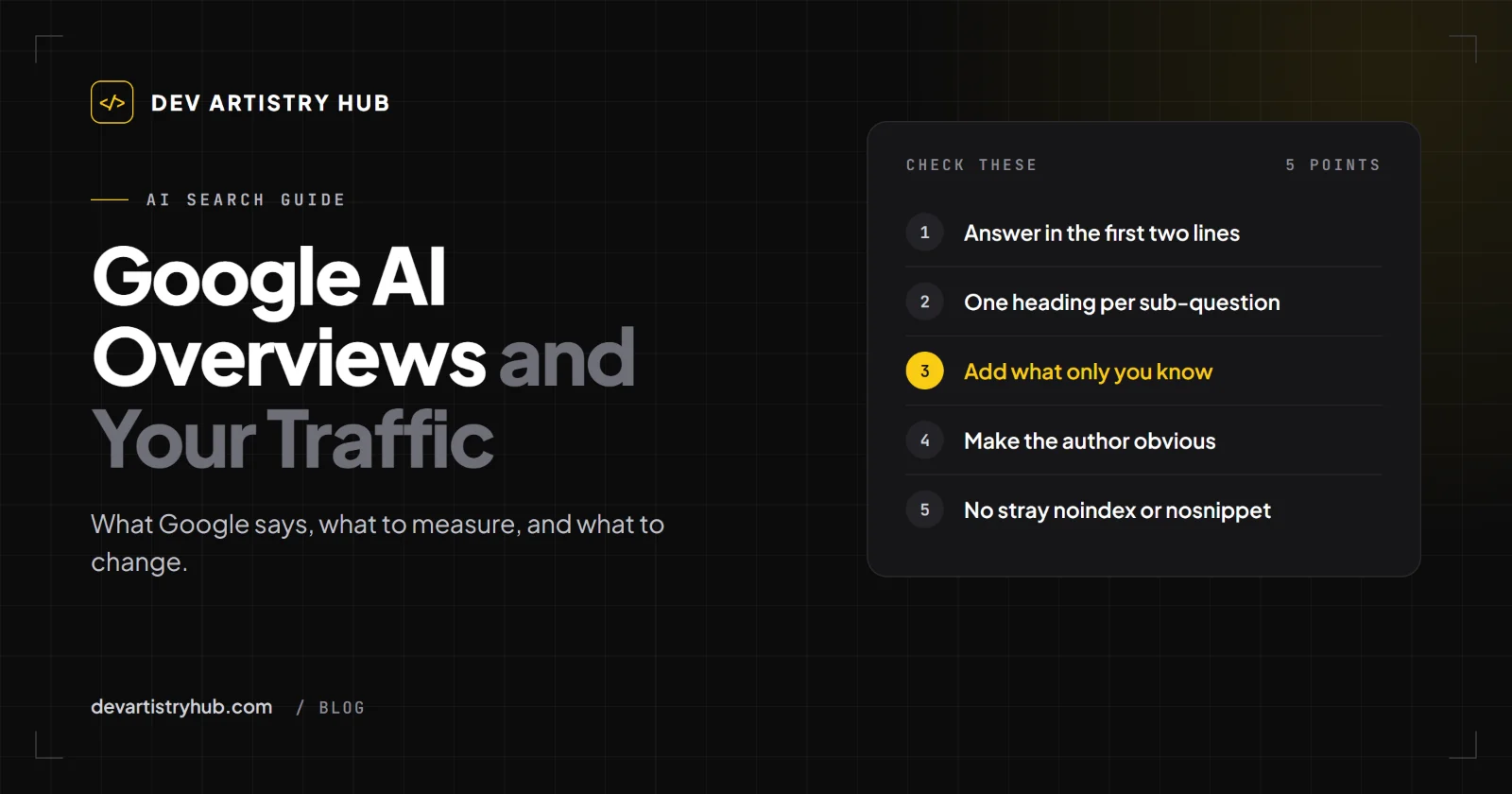
1. Answer the question in the first two sentences
If your page is about whether Elementor slows WordPress down, the first paragraph should say yes or no and why. Not a history of page builders. AI systems and people both look for the sentence that answers the question, and both give up when it is buried.
2. Cover the sub-questions, under clear headings
Remember query fan-out. A question like "how much does a website cost" fans out into hosting, design, platform, maintenance and who builds it. Give each one its own heading and a direct answer. Each heading is another chance to be the source for one piece.
3. Add what only you know
Google's guidance on helpful, people-first content asks whether a page provides "original information, reporting, research, or analysis" and "insightful analysis or interesting information that is beyond the obvious". A summary of other people's articles is exactly what an AI Overview already is. A real example from a project you finished, a mistake you saw five clients make, a number from your own store: that is what a summary cannot replace.
4. Make the author and the business obvious
The same guidance asks: "Is it self-evident to your visitors who authored your content?" Put a name on the article, link it to a real about page, and make it clear what the business does. An anonymous page with no business behind it is easy to pass over.
5. Keep the technical basics clean
Eligibility for AI Overviews starts with being indexed and eligible for a snippet. So check the boring things: the page is in your sitemap, it is not blocked by robots.txt, it does not carry a noindex tag by mistake, and it does not use nosnippet. Google lists nosnippet, data-nosnippet, max-snippet and noindex as the controls that limit what it shows. Those are useful when you want them and costly when a plugin adds them without you noticing.
What Not to Do
- Do not buy "AI Overview ranking" packages. Google says no special optimisation is needed. A service that promises placement in AI Overviews is promising something nobody controls.
- Do not mass-produce AI articles to cover more questions. Google's guidance on generative AI content warns that using it to "generate many pages without adding value for users may violate" its spam policy on scaled content abuse.
- Do not hide your content to stop being summarised unless you are sure. Adding
nosnippetmay keep text out of AI answers, but it also removes your normal snippet, which usually costs more than it saves. - Do not judge one month. Search features change often. Compare quarters, not weeks.
A Simple Plan for the Next Month
If you only have a few hours, do this:
- Pull the 10 pages with the most impressions and falling CTR from Search Console.
- For each one, rewrite the first paragraph so it answers the main question directly.
- Add one heading per sub-question you can see in that page's queries.
- Add one real, specific example to each page.
- Check each page for
noindexandnosnippet, and that it is in the sitemap. - Compare the same 10 pages in Search Console after 8 to 12 weeks.
If your site is built on WordPress or Shopify and you are not sure whether a plugin or app is adding tags you did not ask for, that is a quick thing for a developer to check. It is part of what we look at in website redesign work, because a redesign is the easiest time to lose search visibility by accident.
Frequently Asked Questions
Can I rank in Google AI Overviews on purpose?
Not directly. Google says there are no additional requirements or special optimisations. What you can control is whether your page is indexed, eligible for a snippet, and the clearest, most specific answer to one of the questions behind a search.
Do AI Overviews show up separately in Search Console?
No. Google says traffic from AI features is included in the overall search traffic and reported in the Performance report under the Web search type.
Should I block Google from using my content in AI Overviews?
Only if the content itself is what you sell and a summary would replace the purchase. For most service businesses, being cited is worth more than being hidden, and the controls that limit AI answers also limit your normal search snippet.
Is SEO dead because of AI Overviews?
No, but lazy SEO is. Pages written only to catch a keyword are the ones an AI summary replaces. Pages with real answers and real experience are the ones it links to.
Final Takeaway
AI Overviews did not change what makes a page worth visiting. They raised the bar for being visited at all. The pages that win are the ones that answer one question better than anyone else and make it obvious who is answering. Start with your ten most-shown pages, fix the first paragraph of each, and measure over a quarter, not a week.
- #SEO
- #AI Search